
Online Safety
Children are growing up in a digital world. Even at infant age, many children use tablets, phones, games, apps, videos and online platforms.
At Woodlands, we teach children how to use technology safely and we work with families to help children build safe habits from the beginning.
Online safety is not just about blocking or banning. It is about regular conversations, clear boundaries and helping children know what to do if something worries them.
The Smart Rules
To help children remember how to stay safe online, we use the SMART rules throughout school. These provide children with five simple messages that can be understood from an early age and applied whenever they use technology:
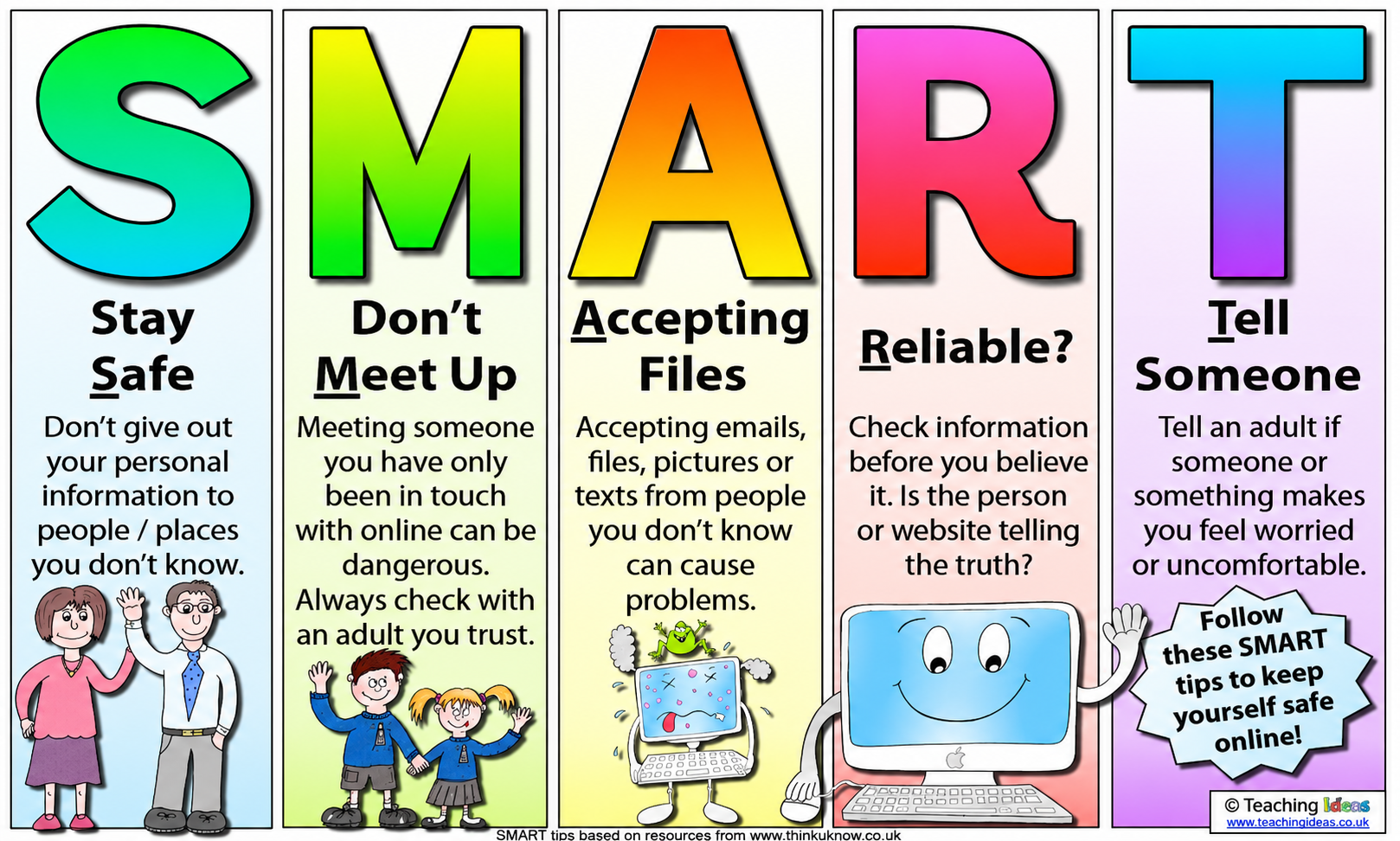
- S – Stay Safe: Keep personal information private and do not share details with people you do not know.
- M – Don’t Meet Up: Never arrange to meet someone you have only communicated with online. Always speak to a trusted adult.
- A – Accepting: Do not accept messages, files, photographs, links or requests from people you do not know.
- R – Reliable: Remember that not everything online is true. Information and people online may not always be what they appear to be.
- T – Tell Someone: Tell a trusted adult straight away if anything online makes you feel worried, uncomfortable or unsure.
The SMART rules are displayed in classrooms and referred to regularly during Computing lessons, assemblies and conversations about technology. Staff use the same language consistently so that children become familiar with the messages and know what action to take.
For our youngest children, the rules are introduced through simple stories, pictures, role play and discussion. As children move through the school, they explore the rules in greater depth and apply them to situations such as watching videos, playing online games, communicating with others, opening messages and deciding whether information can be trusted.
Our most important message is that children should never keep an online worry to themselves. They should stop what they are doing and tell a trusted adult, knowing that they will be listened to and helped.
Our Online Safety Curriculum
Online safety is taught from Nursery to Year 2 as part of our Computing curriculum and is reinforced whenever children use technology across school. Teaching is age-appropriate, practical and carefully revisited so that children build their understanding over time.
Through stories, discussions, role play and carefully planned activities, children learn:
- that technology should be used safely, responsibly and respectfully
- to ask a trusted adult before going online, opening a link or using a new app or game
- that some personal information should not be shared online
- to keep passwords private and understand why they are important
- to recognise when something they see or hear online makes them feel worried, uncomfortable or unsure
- to stop, close the device and tell a trusted adult if something goes wrong
- to behave kindly online and understand that messages and actions can affect other people
- to ask permission before taking or sharing photographs or information about someone else
- that information found online is not always accurate or trustworthy
- to develop healthy habits and understand the importance of balancing screen time with other activities
Online safety is not taught as a one-off lesson. Key messages are revisited regularly through Computing, PSHE, assemblies and everyday classroom conversations. Staff also respond to new technologies, games and online issues as they arise, helping children apply what they have learned to situations they may encounter beyond school.
By the end of Year 2, we want children to understand that technology can be enjoyable, creative and useful, while also knowing the simple steps they can take to keep themselves and others safe.
How parents can help at home
Parents and carers can help by:
- keeping devices in shared family spaces
- using parental controls
- checking age ratings on games and apps
- talking regularly about what children watch and play
- encouraging children to tell an adult if something worries them
- reminding children never to share personal information online
- checking who children may be communicating with
Learn about a range of online safety issues
Advice on setting parental controls on networks, devices and apps
Advice and guidance on apps and devices young people use
https://www.internetmatters.org/parental-controls/entertainment-search-engines/
Useful online safety links
Device guides
This area will list documents from the Online_Safety_Documents/Device_guides folder.
Folder= Online_Safety_Documents/Device_guides. Sort order= AZ. Show date= n. Show search= n. Layout = boxwithpreview.
-
Amazon Alexa
download_for_offline
download_for_offlineAmazon Alexa
- Apple Ipads download_for_offline
download_for_offlineApple Ipads
- Nintendo Switch download_for_offline
download_for_offlineNintendo Switch
- Parental Controls download_for_offline
download_for_offlineParental Controls
- Playstation 5 download_for_offline
download_for_offlinePlaystation 5
- XBox 1 download_for_offline
download_for_offlineXBox 1
- XBox Series X S download_for_offline
download_for_offlineXBox Series X S
Gaming guides
-
Five Nights At Freddies
download_for_offline
download_for_offlineFive Nights At Freddies
- Fortnite download_for_offline
download_for_offlineFortnite
- In Game Chat download_for_offline
download_for_offlineIn Game Chat
- Minecraft download_for_offline
download_for_offlineMinecraft
- Roblox download_for_offline
download_for_offlineRoblox
Video, Streaming, Social Media and Messaging guides
-
Faceapp
download_for_offline
download_for_offlineFaceapp
- Facebook download_for_offline
download_for_offlineFacebook
- Horror films and age ratings download_for_offline
download_for_offlineHorror films and age ratings
- Influencers download_for_offline
download_for_offlineInfluencers
- Instagram download_for_offline
download_for_offlineInstagram
- Netflix download_for_offline
download_for_offlineNetflix
- Netflix Awareness download_for_offline
download_for_offlineNetflix Awareness
- Snapchat download_for_offline
download_for_offlineSnapchat
- Squid Game download_for_offline
download_for_offlineSquid Game
- Tiktok download_for_offline
download_for_offlineTiktok
- Tik-Tok Safety download_for_offline
download_for_offlineTik-Tok Safety
- Whatsapp download_for_offline
download_for_offlineWhatsapp
- Youtube download_for_offline
download_for_offlineYoutube
- Youtube Kids download_for_offline
download_for_offlineYoutube Kids
Other Online Safety resources
-
AI toys
download_for_offline
download_for_offlineAI toys
- Digital Devices and Wellbeing download_for_offline
download_for_offlineDigital Devices and Wellbeing
- Generative AI Safety download_for_offline
download_for_offlineGenerative AI Safety
- Online Grooming download_for_offline
↑download_for_offlineOnline Grooming
- Online Grooming Safety Guide for Parents download_for_offline
download_for_offlineOnline Grooming Safety Guide for Parents
- Online Safety for under 5s download_for_offline
download_for_offlineOnline Safety for under 5s
- Screen Addiction Guide for Parents download_for_offline
- Digital Devices and Wellbeing download_for_offline
- Facebook download_for_offline
- Fortnite download_for_offline
- Apple Ipads download_for_offline